


Laptop Docking Station Trends That Will Shape Modern Workspaces
The workplace has changed significantly over the past few years. Hybrid schedules, flexible office environments, and remote work have transformed the way employees interact with technology. As businesses continue to adapt, the demand for efficient connectivity solutions has increased rapidly.
As businesses continue adapting to hybrid work environments, many organizations are turning to suppliers of docking solutions for flexible workspaces to simplify workstation setup and support employee mobility. One technology that continues to play an important role in this transition is the laptop docking station, which helps create efficient and connected work environments across both office and remote settings.
Docking stations allow users to connect multiple displays, external storage, keyboards, mice, network cables, and charging solutions through a single connection. As modern workspaces evolve, several trends are emerging that will influence how businesses purchase and use docking solutions in the years ahead.
Why Docking Stations Are Becoming Essential
Traditional desktop computers once dominated offices, but laptops have become the preferred device for many organizations due to their portability and flexibility.
However, laptops often provide limited connectivity options. This is where docking stations for laptops provide value by transforming portable devices into complete desktop workstations.
Businesses benefit from:
- Faster workstation setup
- Improved cable management
- Better support for multiple displays
- Simplified device charging
- Greater employee flexibility
As hybrid work becomes standard, docking solutions have moved from optional accessories to critical workplace infrastructure.
The Growth of Hybrid Work Environments
One of the largest drivers behind docking adoption is hybrid working.
Employees frequently move between office locations and home workspaces. Reconnecting multiple accessories every day can reduce productivity and increase frustration.
A laptop docking station allows employees to connect everything through a single cable, creating a seamless transition between locations.
Organizations evaluating future workplace technology often choose to explore available workplace connectivity solutions before implementing company-wide upgrades.
USB-C Is Becoming the Standard
The rise of USB-C technology is changing the docking station market.
Older proprietary docking connectors are gradually disappearing in favor of universal standards that support:
- Charging
- Video output
- Data transfer
- Network connectivity
- Peripheral support
USB-C and Thunderbolt compatibility allows businesses to standardize hardware across multiple manufacturers, reducing IT complexity and improving long-term flexibility.
Future new docking stations are expected to rely heavily on USB4 and Thunderbolt technologies to deliver higher speeds and greater compatibility.
Portable Docking Stations Continue to Grow
The modern workforce is increasingly mobile.
Employees work from:
- Home offices
- Shared workspaces
- Client locations
- Airports
- Temporary project sites
This shift has increased demand for portable docking stations that can travel easily while still providing access to essential ports and accessories.
Advantages of Portable Docking Stations
Portable solutions offer several benefits:
| Feature | Traditional Docks | Portable Docking Stations |
|---|---|---|
| Mobility | Limited | High |
| Workspace Requirements | Permanent Desk | Flexible |
| Travel Friendly | No | Yes |
| Setup Speed | Fast | Fast |
| Suitable for Remote Work | Moderate | Excellent |
For professionals who frequently travel or work from multiple locations, portable solutions often provide the best balance between functionality and convenience.
Sustainability Is Influencing Purchasing Decisions
Environmental considerations are becoming increasingly important for businesses of all sizes.
Many organizations are seeking ways to reduce electronic waste while extending hardware life cycles.
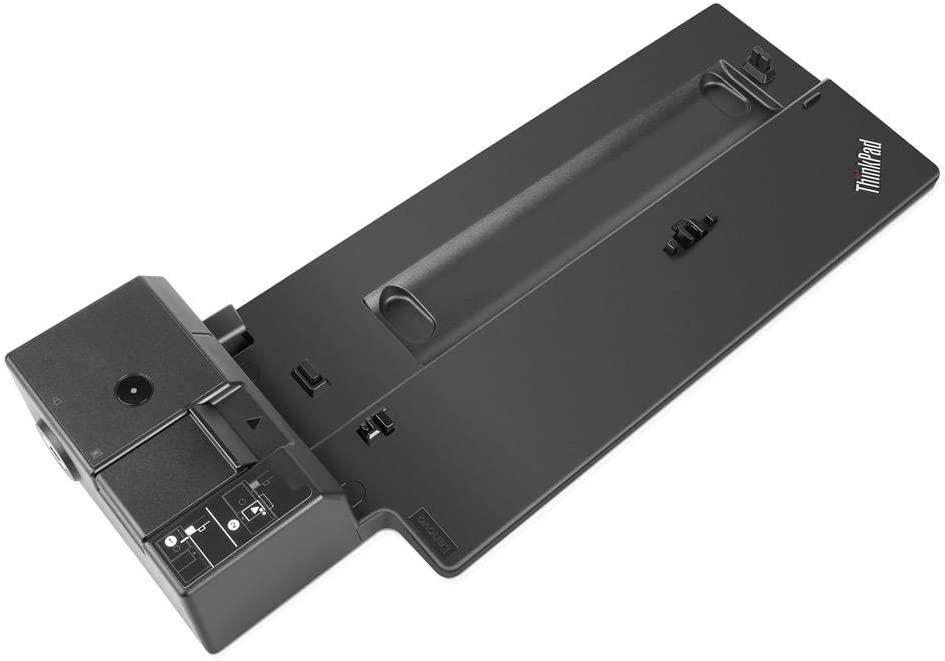
As a result, Refurbished docking stations are becoming a practical option for companies looking to balance budgets with sustainability goals.
Refurbished equipment helps reduce:
- Manufacturing demand
- Electronic waste
- Carbon emissions
- Disposal costs
Businesses interested in sustainable procurement strategies often choose to learn more about the company's approach to refurbishment and sustainability before making purchasing decisions.
Higher Power Delivery Is Becoming Standard
Modern laptops require more power than previous generations.
Today's docking stations increasingly support:
- 90W charging
- 100W charging
- 140W charging
- High-speed data transfer
- Multiple display outputs
This allows users to charge their laptops while simultaneously powering monitors and accessories through a single connection.
Creative professionals, engineers, and analysts particularly benefit from these capabilities because they often use high-performance laptops with demanding workloads.
Multi-Monitor Support Is Expanding
Research consistently shows productivity improvements when employees use multiple displays.
Modern workstations commonly include:
- Dual monitors
- Triple monitor setups
- Ultrawide displays
- High-resolution screens
Consequently, modern docking stations are being designed with enhanced video output capabilities to support these requirements.
Future new docking stations will likely place even greater emphasis on display flexibility and resolution support.
Device Lifecycle Management Is Becoming More Important
Organizations are increasingly focused on recovering value from existing technology assets.
Instead of disposing of outdated hardware, businesses are searching for ways to extend the value of equipment through refurbishment and resale programs.
Companies looking to sell my docking station inventory are increasingly participating in buyback initiatives that support circular technology economies.
Similarly, businesses interested in we buy docks programs are discovering opportunities to recover value while supporting sustainability objectives.
Organizations seeking to maximize hardware value often look for opportunities to recover value from unused docking equipment rather than sending devices to recycling facilities.
Security Features Are Becoming Essential
Enterprise security requirements continue to influence hardware purchasing decisions.
Modern docking stations increasingly include:
- Secure firmware updates
- PXE boot support
- Wake-on-LAN functionality
- MAC address pass-through
- Remote management capabilities
These features help IT teams maintain control while supporting remote and hybrid employees.
Cross-Platform Compatibility Is Improving
Many businesses operate mixed technology environments that include:
- Windows laptops
- macOS devices
- Linux workstations
Manufacturers are responding by improving compatibility across multiple operating systems and device brands.
This reduces deployment challenges while simplifying procurement and support.
IT departments planning future deployments often choose to read additional guidance on docking station deployments before selecting hardware standards.
Hot Desking Will Continue to Influence Workspaces
Office layouts are evolving.
Many organizations now use flexible seating arrangements that allow employees to work from any available desk.
Docking stations support hot desking by enabling employees to connect quickly without extensive setup requirements.
Benefits include:
- Reduced office space requirements
- Greater collaboration opportunities
- Improved workstation utilization
- Faster employee onboarding
As office space continues to evolve, docking solutions will remain an important part of workplace design strategies.
Smart Offices Will Drive Future Innovation
The next generation of workplace technology is likely to include deeper integration between docking solutions and smart office systems.
Potential developments include:
- Meeting room integration
- Occupancy sensors
- Wireless collaboration tools
- Energy management systems
- Device analytics
The docking station may eventually become the central hub of the connected workspace.
How Businesses Can Prepare
Organizations evaluating docking investments should consider several factors:
1. Device Compatibility
Choose docking stations that support both current and future laptop models to avoid compatibility issues during hardware upgrades and technology refresh cycles.
2. Power Requirements
Ensure the docking station provides sufficient charging capacity for high-performance laptops and power-intensive workflows.
3. Display Requirements
Consider the number of monitors employees use and verify support for the required resolutions and display configurations.
4. Employee Mobility
Evaluate whether employees would benefit more from permanent desk setups or flexible portable docking stations for hybrid working environments.
5. Sustainability Goals
Assess whether Refurbished docking stations align with your organization's budget objectives and environmental sustainability initiatives.
Conclusion
The evolution of the modern workplace continues to reshape technology requirements across every industry.
From hybrid work and flexible office layouts to sustainability initiatives and smart office integration, the role of the laptop docking station continues to expand.
Organizations investing in docking solutions today should consider long-term compatibility, mobility requirements, and environmental objectives to ensure their technology investments remain valuable for years to come.
Businesses planning future workspace upgrades may benefit from choosing to speak with a team about workplace docking requirements and equipment solutions before making large-scale purchasing decisions.